JSON and XML do not map onto each other one for one. JSON has objects, lists, numbers, booleans and null. XML has elements, attributes and text, and everything in it is text. Any converter has to make choices, and the choices decide whether the XML you get is accepted by the system on the other end. This guide explains the choices our JSON to XML Converter makes, based on running a wide range of inputs through it and checking each output with a real XML parser, including the cases where the result is not valid XML.
The basic mapping
The converter walks through your JSON and writes one element per key. Take a book record:
{
  "catalog": {
    "book": {
      "title": "Dune & Beyond",
      "author": "Frank Herbert",
      "price": 9.99,
      "inStock": true,
      "tags": ["sci-fi", "classic"]
    }
  }
}
That produces:
<?xml version="1.0" encoding="UTF-8" ?>
<catalog>
<book>
<title>Dune & Beyond</title>
<author>Frank Herbert</author>
<price>9.99</price>
<inStock>true</inStock>
<tags>sci-fi</tags>
<tags>classic</tags>
</book>
</catalog>(In the JSON input the title is plain Dune & Beyond; the ampersand is escaped in the XML.) Four rules are visible here:
- A key becomes an element with the same name, and an object becomes an element containing its children, indented by two spaces.
- A list repeats the element. There is no wrapper element for the list: the key
tagswith two items gives two<tags>elements side by side. A list of objects gives one element per object, each containing that object's fields. - Values become text. The number 9.99 and the boolean
trueare written as the characters9.99andtrue. XML itself has no types, so the receiver needs a schema or agreement to know thatinStockis a boolean. - Special characters in text are escaped.
&,<,>, double quotes and apostrophes become&,<,>,"and'. A value like5 < 6 & "quoted"comes out as5 < 6 & "quoted", which any XML parser reads back as the original text.
Every output starts with the declaration <?xml version="1.0" encoding="UTF-8" ?>. The converter shows text, so the encoding is decided when you save it: save the file as UTF-8 to match the declaration.
How to convert, step by step
- Paste your JSON into JSON Source Object.
- Click Convert to XML, or press
Ctrl+Enter(Cmd+Enteron a Mac). - Copy the result from XML Generated Output with Copy XML Result.
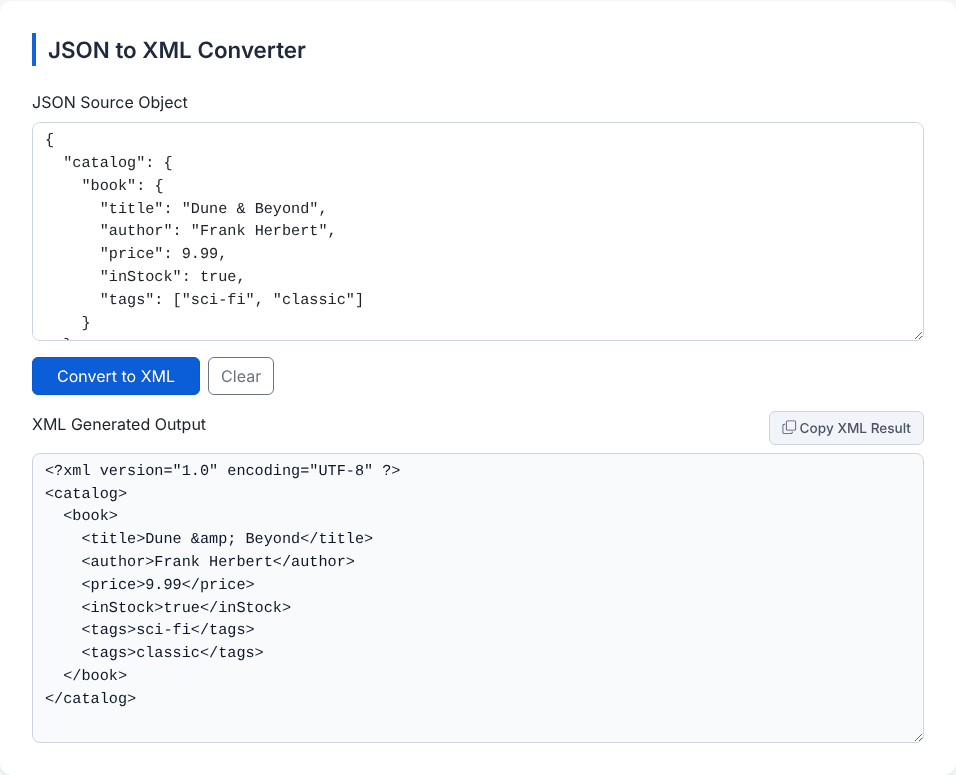
There are no options: indentation is two spaces, the declaration is always included and you cannot name the root element. If the JSON is invalid you get Translation Suspended: plus your browser's parse message, and an empty box gives Please enter a valid JSON object structure to translate.
The root element rule, and the case that breaks
XML needs exactly one root element. JSON has no such rule. The converter handles it like this:
- One top-level key whose value is an object: that key is the root. The
catalogexample above and{"order":{"id":"A-1","items":{...}}}work this way. - Anything else: the output is wrapped in a
<root>element. This covers an object with several top-level keys, a single key holding plain text such as{"name":"Ada"}, and a top-level list. A top-level list[{"id":1},{"id":2}]becomes<root>with children named<_0>and<_1>, because the list positions are used as names. - A single top-level number or string (for example
42) gives<root>with the bare value inside and no element for it. A top-levelnullis rejected with Translation Suspended: Cannot convert undefined or null to object.
The catch is the first rule. A key counts as a single object-valued root even when its value is a list. So this very common shape,
{ "users": [ { "name": "Ann" }, { "name": "Bob" } ] }is not wrapped, and the output is:
<?xml version="1.0" encoding="UTF-8" ?>
<users>
  <name>Ann</name>
</users>
<users>
  <name>Bob</name>
</users>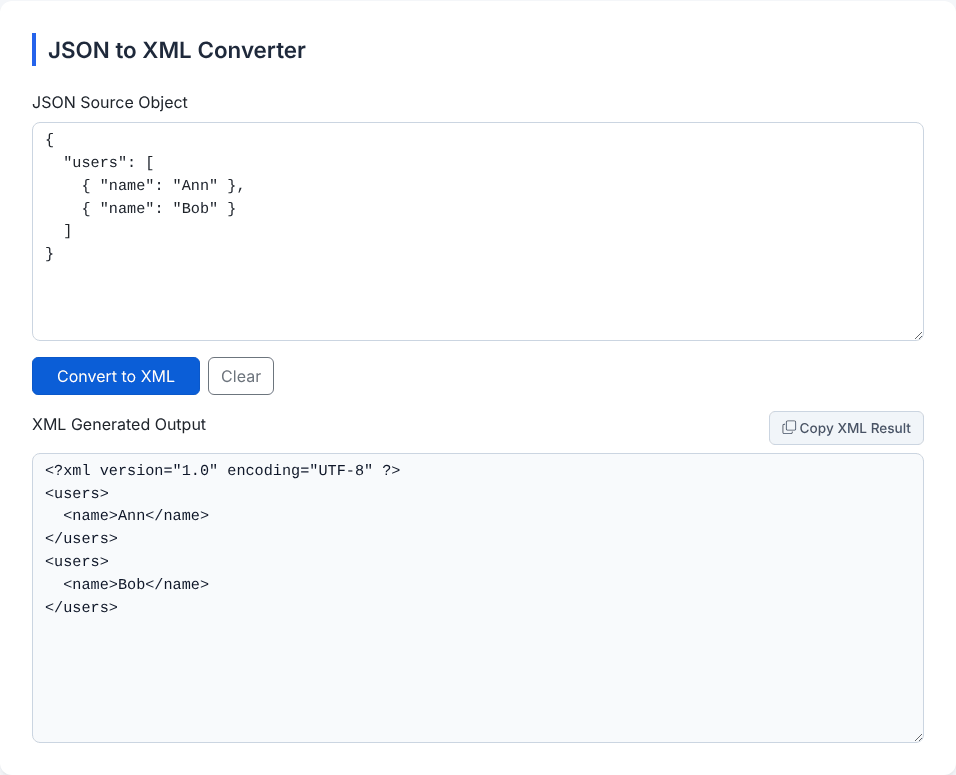
We ran this output through the browser's XML parser, and it rejected it: error on line 5 at column 1: Extra content at the end of the document. Two root elements are not allowed. Fix it by giving the list an enclosing object before converting: {"response":{"users":[...]}} gives a single <response> root with two <users> children inside it. Adding a second top-level key does the same, since several keys trigger the automatic <root> wrapper.
Have a JSON payload that needs to become XML?
Open the JSON to XML ConverterHow keys are turned into tag names
JSON keys can be any text. XML element names cannot: they cannot contain spaces, cannot start with a digit, hyphen or dot, and cannot be empty. The converter replaces every character other than letters, digits, underscore, hyphen and dot with an underscore, and prefixes an underscore if the result starts with a digit, hyphen or dot. Tested results:
"first name"  ->  <first_name>
"1st"         ->  <_1st>
"-x"          ->  <_-x>
"a:b"         ->  <a_b>
"a.b"         ->  <a.b>
"é"           ->  <_>
""            ->  <>     (not valid XML)
Two consequences. Non-English letters are replaced, so a key like é turns into _, and two different keys can end up with the same tag. And an empty key "" produces <>, which is invalid; the parser reported StartTag: invalid element name. Colons are replaced too, so you cannot produce namespaced elements such as soap:Body.
What the converter does not express
Attributes. Many XML formats put data in attributes, as in <book id="b1">. This converter never writes attributes. It has no special syntax for them, and the common convention of a key starting with @ does not work. The input {"book":{"@id":"b1","title":"T"}} produces an element named <_id>b1</_id>, because the @ is replaced with an underscore. If your target needs attributes, convert first and then adjust those elements by hand or in a script.
Null and empty values. null is written as the word null inside the element, so {"a":null} gives <a>null</a>, which a receiver reads as the text "null". An empty string gives an empty element <b></b>, an empty object gives an element with only whitespace, and an empty list gives nothing at all: the key vanishes from the output. A list of one null gives <e>null</e>.
Lists inside lists. {"r":{"m":[[1,2],[3]]}} becomes two <m> elements, the first containing <_0>1</_0><_1>2</_1> and the second <_0>3</_0>. The nesting survives, but with generated element names.
Control characters. Characters such as \u0001 inside a string are written out unchanged, and XML 1.0 forbids them. The parser rejected our test with PCDATA invalid Char value 1. Real data rarely contains them, but binary-ish data copied from logs can.
Large numbers. As with any browser-based JSON handling, 12345678901234567890 is written as 12345678901234567000, and 1.10 becomes 1.1. Send identifiers like these as strings.
Checking the result
The most reliable check is to run the output through a real XML parser before sending it. Our companion XML to JSON Converter uses the browser's XML parser and reports the first well-formedness error, so pasting your output there works as a quick test: a bare second root, an invalid tag name or a bad character will show an error instead of JSON. For a full guarantee, validate against the XSD or DTD the receiving system publishes, which is something no converter can do for you.
You can also go the other way, but do not expect a perfect round trip. We converted <book id="b1" lang="en"><title>Dune</title></book> to JSON (the attributes arrive as an @attributes object) and fed that JSON back into this tool. The result had <_attributes><id>b1</id><lang>en</lang></_attributes> inside <book> instead of real attributes. The two tools do not share a convention for attributes, so treat each direction as a one-way conversion.
Is it safe to paste data here?
We converted several documents while watching the network, and the page made no requests after it had loaded. The conversion runs in your browser. The page loads styling from a public CDN when it opens and may display third-party advertising, but your JSON is not passed to either by our code. Remove secrets and personal data from anything you paste, as with any website. The tool also keeps a local history of your last 20 conversions, with the first 500 characters of each input, in your browser only; Clear All removes it.
Quick answers
Why was my root element called "root"? Your JSON did not have exactly one top-level key with an object value, so the converter added one.
Can I pick the indentation or remove the declaration? No. Delete the first line by hand if your target does not want it.
Does key order stay the same? Almost always. Keys that look like whole numbers, such as "2", are moved to the front in ascending order, because that is how JavaScript orders object keys.
Is it suitable for SOAP or other namespaced formats? Not on its own, because it cannot write namespace prefixes or attributes. It is fine for plain element-only XML.
Have a JSON payload that needs to become XML?
Open the JSON to XML Converter