The most common way freelancers underprice themselves is to take a salary they would like, divide it by the hours in a work year, and quote that figure. The Freelance Hourly Rate Calculator works the other way round. It starts from the monthly take-home you want, adds the costs and taxes that sit between revenue and take-home, and divides by the hours you can realistically bill. This guide shows the exact formula, builds the answer up step by step, and explains where the tool's simplifications could mislead you.
Note: this is educational information, not financial or tax advice. The tax figure in the tool is a single percentage that you supply; it does not know the rules where you live.
The formula the tool uses
We reproduced the calculator in Python and compared it with the tool on more than a dozen input combinations. The results matched, including the rounding behaviour described below. The steps are:
billable hours = (52 − weeks off) × hours per week × billable %
gross revenue  = annual expenses + (net monthly × 12) / (1 − tax rate)
hourly rate    = gross revenue / billable hours
The tax rate is applied to profit, meaning revenue after business expenses. In other words the tool assumes that every dollar of business expense is fully deductible and that your take-home target is what remains once a flat percentage has been removed from the profit. The tool's breakdown table reports this as: Business Expenses + Tax + Your Net Take-Home = gross revenue.
The inputs, one by one
- Currency: US Dollar, Euro, British Pound or Australian Dollar. It changes the symbol only.
- Target Net Monthly Income (tagged "Take-home, after tax"): what you want to receive each month for yourself. Default 5000.
- Annual Business Expenses: software, equipment, insurance, office space and similar costs per year. Default 6000. An empty box counts as 0.
- Effective Tax Rate (%): income tax plus self-employment tax combined, default 30.
- Weeks Off Per Year: vacation, sick days and holidays combined, default 4. Decimals work: 4.5 weeks gives 1,330 billable hours instead of 1,344.
- Working Hours Per Week: default 40.
- Billable Percentage (%): the share of working hours that you can actually invoice, default 70. The rest goes on admin, proposals, marketing and invoicing.
Results update as you type. The outputs are Hourly Rate, Billable Hours / Year, Required Gross Revenue / Year and Required Revenue / Month, plus the table "Where Your Gross Revenue Goes".
A worked example: why 28.85 becomes 68
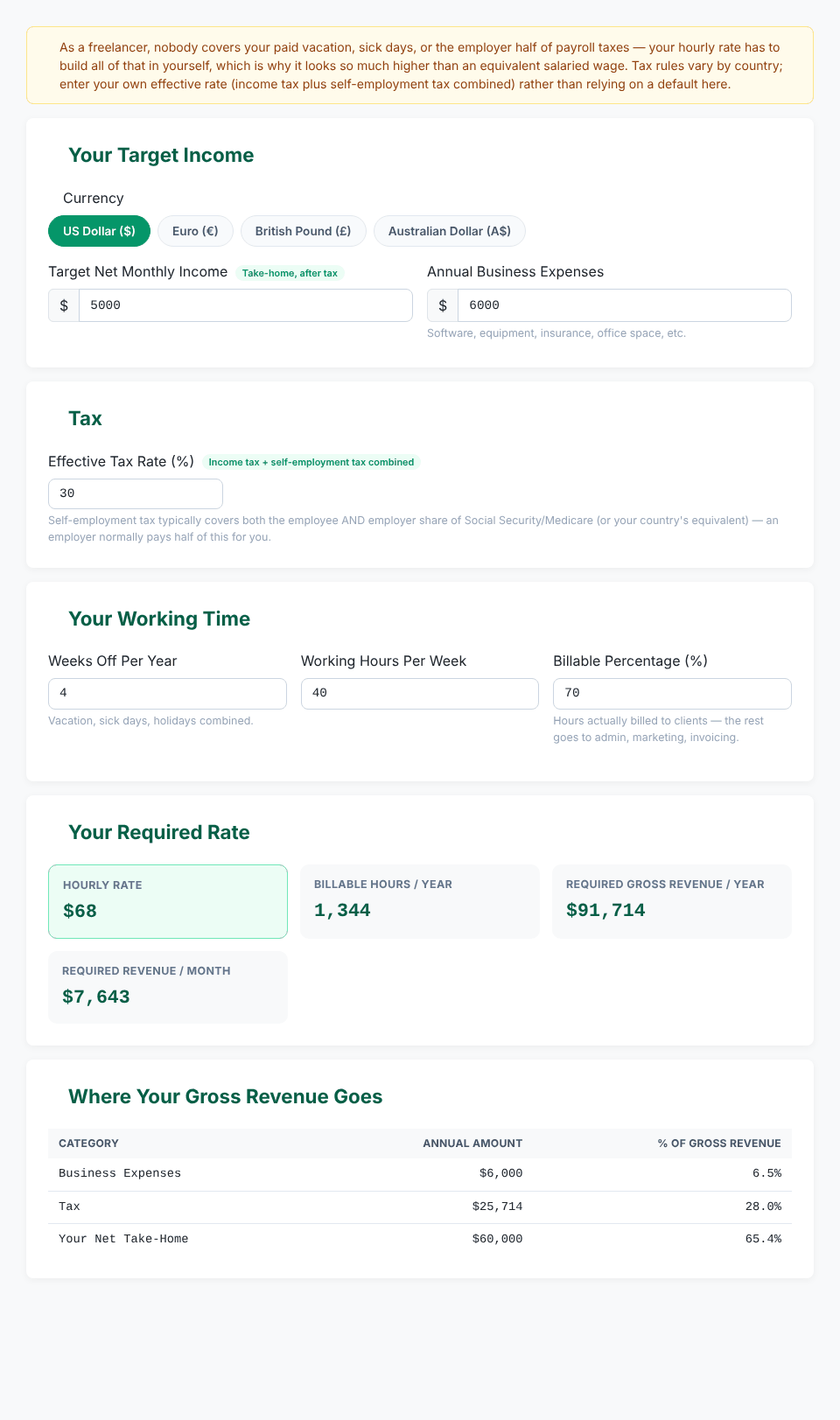
With the defaults ($5,000 a month, $6,000 of expenses, 30% tax, 4 weeks off, 40 hours a week, 70% billable) the tool gives:
Hourly Rate                    $68      (68.24 before rounding)
Billable Hours / Year          1,344
Required Gross Revenue / Year  $91,714
Required Revenue / Month       $7,643
The naive salary calculation would be $60,000 ÷ 2,080 hours = $28.85. The following table adds one real-world cost at a time. Every row was entered into the tool; the displayed rate is rounded to whole dollars and the exact value is in brackets.
What is included                              Billable hrs   Rate
Take-home only, 52 weeks, 100% billable          2,080       $29  (28.85)
+ 4 weeks off                                    1,920       $31  (31.25)
+ only 70% of hours billable                     1,344       $45  (44.64)
+ $6,000 business expenses                       1,344       $49  (49.11)
+ 30% tax on profit                              1,344       $68  (68.24)
The biggest single step is billable time, which moves the rate from $31 to $45. Tax adds the most in dollar terms because the pre-tax profit you need is $85,714 to leave $60,000. That is why the "Tax" row in the breakdown table shows $25,714, which is 28.0% of gross revenue even though you entered 30%: the 30% applies to profit ($85,714), not to the whole $91,714.
A useful way to read the answer: each billable hour must carry roughly $68 because for every hour you bill, you also pay for the hours you do not bill, the weeks you do not work, the tools and the tax.
Work out your own rate
Open the Freelance Hourly Rate CalculatorWhich inputs move the rate most?
Changing one input at a time from the defaults (all rows checked against the tool):
Billable %   Rate          Weeks off   Rate
60%          $80           2           $66
70%          $68           4           $68
80%          $60           6           $71

Tax rate   Gross revenue   Rate
25%        $86,000         $64
30%        $91,714         $68
35%        $98,308         $73

Net/month   Gross revenue   Rate
$4,000      $74,571         $55
$5,000      $91,714         $68
$6,000      $108,857        $81
Billable percentage has the largest effect for a choice you control. Going from 70% to 60% adds $12 an hour, and going from 70% to 80% takes off $8, without changing gross revenue at all (it stays at $91,714). The hours per week work the same way: at 30 hours a week the default case needs $91 an hour (1,008 billable hours), because the same revenue is spread over fewer hours.
Doubling expenses from $6,000 to $12,000 raises the rate from $68 to $73 (gross revenue $97,714). Expenses matter less than most people expect, because each dollar of expense costs one dollar of revenue (the tool treats it as pre-tax).
Choosing a realistic billable percentage
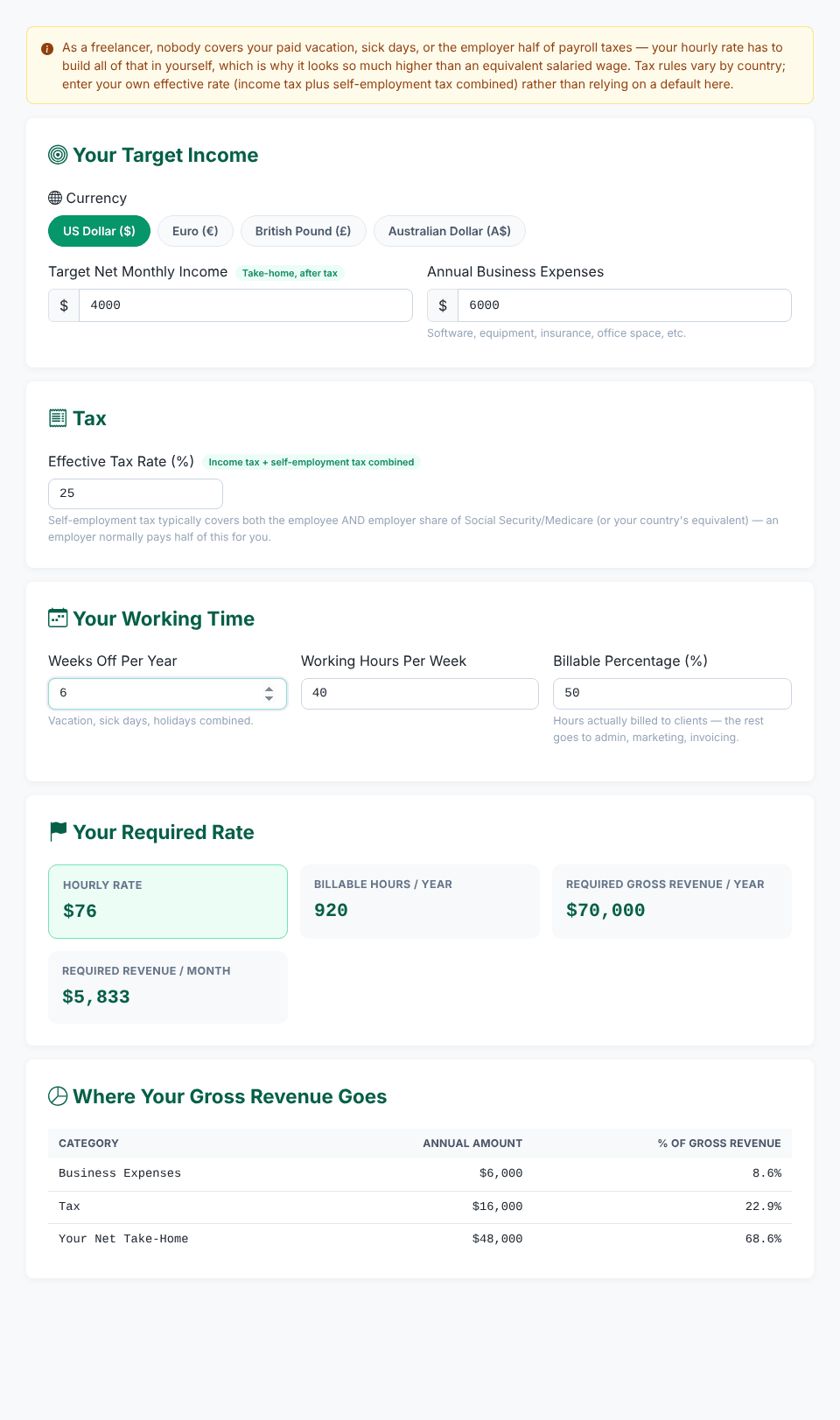
The tool's default is 70%, described on the page as "a common starting estimate". We have not measured what typical freelancers achieve, so treat it as a placeholder and replace it with your own figure. A reliable way to find it is to track your time for a few weeks (the Work Hours / Timesheet Calculator can total hours) and divide hours invoiced by hours worked. Newer freelancers who still spend a lot of time looking for clients may be well below 70%; people with steady retainer clients may be above it. Running the tool at 50%, 60% and 80% shows the range of rates you would need ($96, $80 and $60 at the default settings).
The tax assumption: use it carefully
The tax field is where the calculator is easiest to misuse, so here is what it does and does not do.
- It is one flat percentage. Many countries tax income progressively, so the effective rate rises as profit rises. A single number cannot capture that.
- It is applied to profit after business expenses. If some of your expenses are not tax-deductible where you live, the result will be too low.
- The percentage is on the pre-tax profit, not on your take-home. In the example above the tool applies 30% to $85,714. If you estimate your rate from "tax on my take-home", it will not line up. A practical approach is to run the calculator once, read the pre-tax profit (gross revenue minus expenses, $85,714 in the example), work out the tax you would owe on that amount in your country, divide it by that profit, and enter the result.
- It does not include sales tax or VAT/GST, which you may need to add on top of your invoices and pass on. They are not part of your revenue in this model.
- It is pre-filled with 30%. The note at the top of the page says to enter your own rate "rather than relying on a default", yet the field starts at 30. Treat that value as a placeholder, not a recommendation.
The tool's hint says that self-employment tax typically covers both the employee and the employer share of social security-type contributions. That is a common arrangement, but the details depend on the country, so confirm your own situation with an accountant or your tax authority.
Common mistakes and error messages
- Entering gross income as the target. The field is take-home after tax. Enter what you want to keep.
- Leaving out costs that an employer would normally cover. Health cover, a pension or retirement contribution, training, a laptop replacement and accounting fees are not separate inputs. Add them to Annual Business Expenses, or include them in the take-home target if you pay them from personal funds.
- Forgetting unpaid gaps. Weeks between contracts count as time off here. If you expect two months of slack, set Weeks Off higher rather than using 4.
- "Please enter a target net monthly income greater than zero." appears if the income field is empty or zero.
- "Annual business expenses cannot be negative." for a negative expense figure.
- "Effective tax rate must be between 0% and 100% (exclusive)." appears for an empty box and for 100 or more. At 99% the tool does compute a rate ($4,469 an hour for the default case), which shows how fast the formula explodes near 100.
- "Weeks off per year must be between 0 and 51.", "Working hours per week must be greater than zero." and "Billable percentage must be between 1% and 100%." cover the working-time fields.
Limits of the model
- The rate is rounded to a whole currency unit, so $68 stands for $68.24. If you quote by the hour, check the unrounded value by dividing the Required Gross Revenue by the Billable Hours.
- It assumes that you earn the same every week. It does not model uneven months, late payments or bad debts.
- It gives an average rate. Long projects, retainers and fixed-price jobs may be priced differently, and the market may not pay what the formula says you need.
- Hours per week are not capped in the code even though the box suggests 168 as a maximum. We entered 500 hours a week and the tool returned $5 an hour.
- It is not a comparison with an employee salary. It does not value benefits such as paid leave beyond the weeks you enter.
The tool runs in your browser. In its code the only request is the optional feedback form in the Contact tab, which sends the text you submit there; the calculator inputs are not sent. The site's pages also load shared libraries such as Bootstrap from a public CDN and may show advertising, which is separate from the calculator.
Quick answers
Why is my hourly rate so much higher than an employee's wage? Because it has to pay for unpaid weeks, unbilled hours, business costs and both sides of any payroll-type tax. The table in the worked example shows each effect.
What is the difference between Required Gross Revenue and the hourly rate? Gross revenue is the annual amount you must invoice; the hourly rate is that amount spread across billable hours only.
How do I turn the rate into a project price? Estimate your hours for the project, including meetings and revisions, and multiply by the hourly rate. If you estimate too few hours, your effective rate drops.
Does it convert currencies? No. Choose the symbol you want and enter all figures in that currency.
What if I want to know the profit margin on a product, not a rate? Use the Profit Margin & Markup Calculator. For employee pay after tax, see the Salary Take-Home / Net Pay Estimator.
Work out your own rate
Open the Freelance Hourly Rate Calculator