Computers store text as numbers, and those numbers are written down as bytes. Binary and hexadecimal (hex) are two ways of showing the same bytes: binary spells out every bit, hex is the compact version programmers prefer. Our Binary / Hex to Text Converter turns text into either form and back. This guide explains what the output means, using results we got from the tool, so you can tell a correct conversion from a mangled one and fix the usual errors.
Characters, bytes and the two notations
A byte is a number from 0 to 255. Eight binary digits (bits) can represent exactly that range, and so can two hex digits. So every byte has two equivalent spellings:
Letter  Number  Binary     Hex
A       65      01000001   41
a       97      01100001   61
0       48      00110000   30
Note that the digit "0" is not the number zero: as text, it is the character with code 48. The tool's output confirms this: converting the text 0 gives 00110000 in binary and 30 in hex.
Hex digits run 0-9 then a-f, where a is 10 and f is 15. Each hex digit stands for exactly four bits, which is why a byte is always two hex digits: 0100 0001 is 4 and 1, so 41.
How to use the converter, step by step
- Choose the direction: Text → Binary/Hex or Binary/Hex → Text.
- Choose the format: Binary or Hex.
- Type or paste into the input box, which is labelled Plain text, Binary input or Hex input depending on your choice. The result appears in the output box a moment after you stop typing; there is no convert button.
- Use Copy to copy the output. Swap Direction flips the direction and moves the current output into the input, so you can check a result by converting it back.
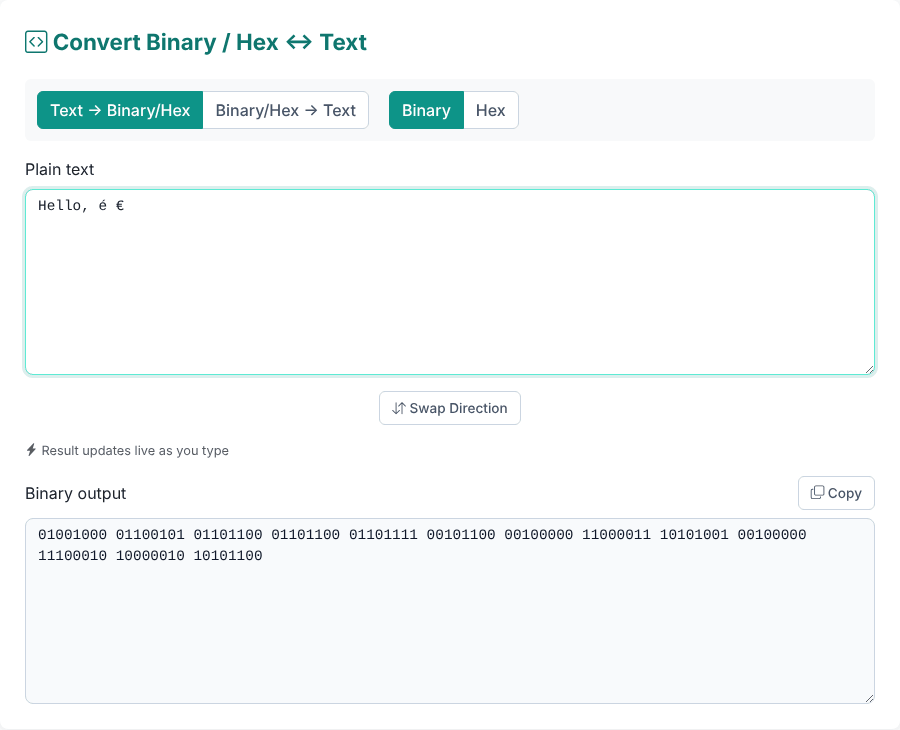
Output is always separated by single spaces: one group of eight digits (or two hex digits, in lowercase) per byte. For Hello the tool gives 01001000 01100101 01101100 01101100 01101111 in binary and 48 65 6c 6c 6f in hex.
Why some characters need more than one byte
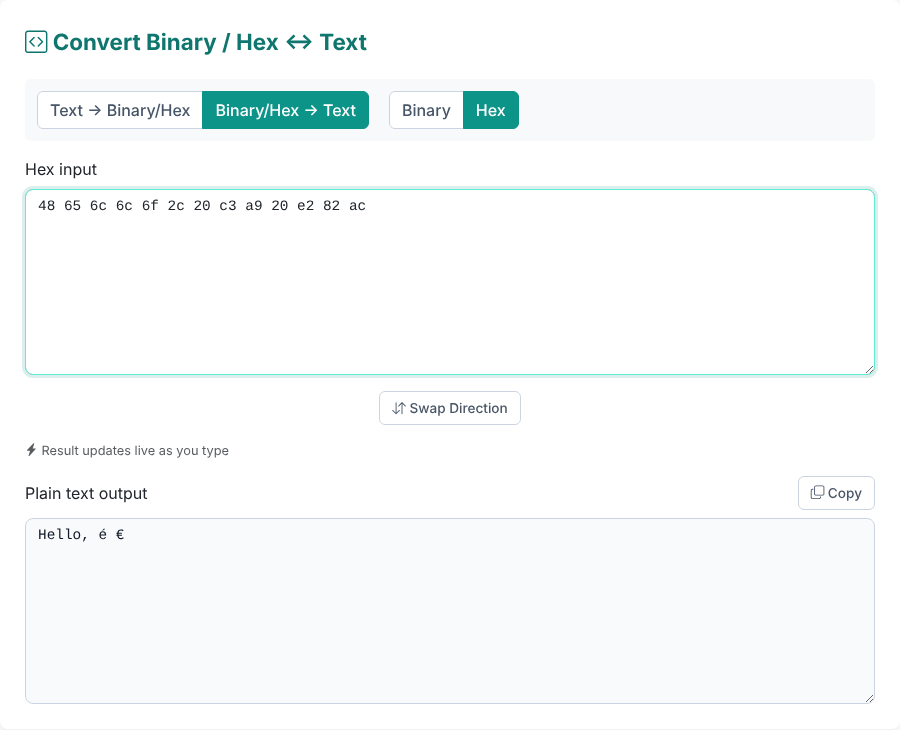
Plain English letters, digits and punctuation take one byte. Everything else takes two to four, because the tool uses UTF-8, the encoding the web uses. We converted a few characters to see:
Text   Bytes (hex)     Count
A      41                1
é      c3 a9             2
€      e2 82 ac          3
日本   e6 97 a5 e6 9c ac 6  (3 per character)
😀     f0 9f 98 80       4
This is why "the length of a string" and "the number of bytes" can differ, and why a binary string for "Hello" is five groups while "Hello, é €" is thirteen. It also explains the most common conversion mistake, covered below: reading UTF-8 bytes as if each byte were a character.
If you need to convert the other way, this is the same logic: the tool collects bytes, then decodes them as UTF-8. In our test, c3 a9 decoded to é, e2 82 ac to € and f0 9f 98 80 to the emoji.
Want to try a conversion yourself?
Open the Binary / Hex to Text ConverterConverting binary or hex back to text
Paste the digits in any of these forms. All of them gave Hello in our tests:
48 65 6c 6c 6f           (spaces)
48656C6C6F               (no spaces, any letter case)
0x48656c6c6f             (one leading 0x)
01001000 01100101 ...    (binary, spaces or line breaks)
0100100001100101...      (binary, run together)
The tool removes all whitespace, strips a single leading 0x, regroups the digits into bytes and decodes them. That is why it does not care how you spaced them. Binary with line breaks between bytes also works.
Errors and what they mean
Four messages cover most failures:
- "Binary input can only contain 0s and 1s." Something else is in the string. A
0bprefix triggers this one, as does a typo such as0110021. - "Binary length must be a multiple of 8 digits (1 byte = 8 bits)." A digit is missing or extra. Classic cause: seven-bit groups.
1001000 1100101is "He" written with the leading zero dropped, and the tool rejects it. Pad each group to eight digits (01001000 01100101) and it works. - "Hex input can only contain digits 0-9 and letters A-F." A character outside that set, such as
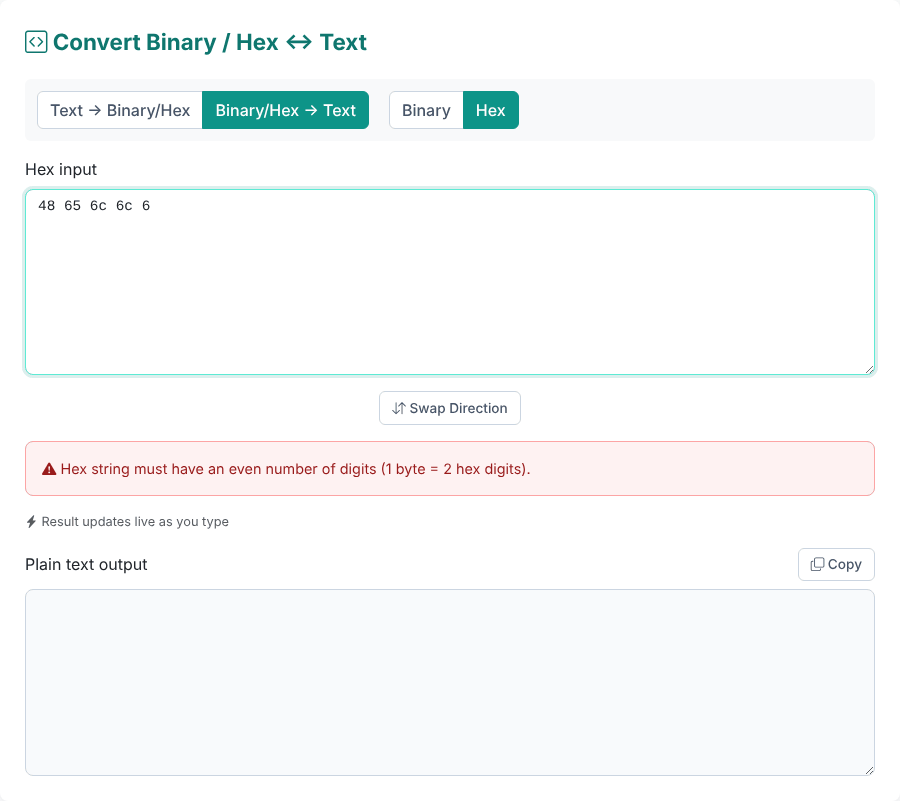
G, but also commas, and per-byte prefixes. We confirmed that0x48 0x65,48,65,6cand\x48\x65are all rejected: only one0xat the very start of the whole string is accepted. Remove the separators and prefixes first. - "Hex string must have an even number of digits (1 byte = 2 hex digits)." Shown in the figure below. A leading zero is probably missing, for example
9instead of09.
When the output looks like garbage
Sometimes no error appears, yet the text is wrong. In these cases the digits are valid, but they are not UTF-8 text:
- A single
e9decodes to a replacement symbol (�). In the older Latin-1 encoding,e9is "é". In UTF-8,éisc3 a9, ande9alone is invalid. The tool does not report this as an error; it substitutes the replacement character. The same happens withff fe(it gives two replacement symbols) and with a sequence cut short, such asf0 9f 98, the first three bytes of the emoji. - Bytes that are not text at all, such as image data or compressed data, produce a stream of odd symbols. Hex is a fine way to look at such data, but the "Text" side only makes sense for text.
- A byte order mark (BOM). The bytes
ef bb bfmark some files as UTF-8. We pastedef bb bf 48 69and got justHi: the BOM is silently dropped. This is usually what you want, but be aware that it is not visible in the output. - A null byte.
00 41decodes to an invisible control character followed by "A".
Where you will actually use this
- Reading a hex dump or log. Network tools, debuggers and file viewers show data as hex. Pasting a run of bytes here shows whether it is readable text.
- Debugging encodings. If
éturned intoésomewhere in your system, convert the text to hex: seeingc3 a9where you expectede9(or vice versa) tells you which encoding was used. - Checking a character's value. Case differences show up in the bits:
Ais01000001andais01100001, which differ only in one bit. If you only need to change letter case, our Case Converter does it directly. - Learning. Typing your name and watching the bytes appear is the quickest way to make this concrete.
Related encodings solve different problems: Base64 packs bytes into text more compactly than hex does, and URL encoding writes unsafe characters as percent-hex pairs such as %C3%A9.
Limits and privacy
- Not encryption. Binary and hex are just a different way of writing the same data. Anyone can convert it back, as this tool shows.
- Output format is fixed: lowercase hex, single spaces, no prefixes. If you need uppercase hex or
0xprefixes, adjust the result in your editor. - Local processing: while converting we saw no network requests other than Bootstrap's styles, script and icon font; nothing you type is sent.
- Empty or whitespace-only input produces empty output and no message.
Quick answers
Why does one letter give eight digits in binary? Because a byte is eight bits, and the tool always pads each byte to eight digits.
Can I convert a number such as 255 to binary here? Not as a number. Typing 255 as text converts the characters "2", "5", "5" (00110010 00110101 00110101), not the value 255.
Is hex case-sensitive? No. 48656C6C6F and 48656c6c6f give the same text.
Want to try a conversion yourself?
Open the Binary / Hex to Text Converter